- Apr 7, 2026
Online Math Tuition Tools Comparison: Desmos vs GeoGebra for Secondary Students
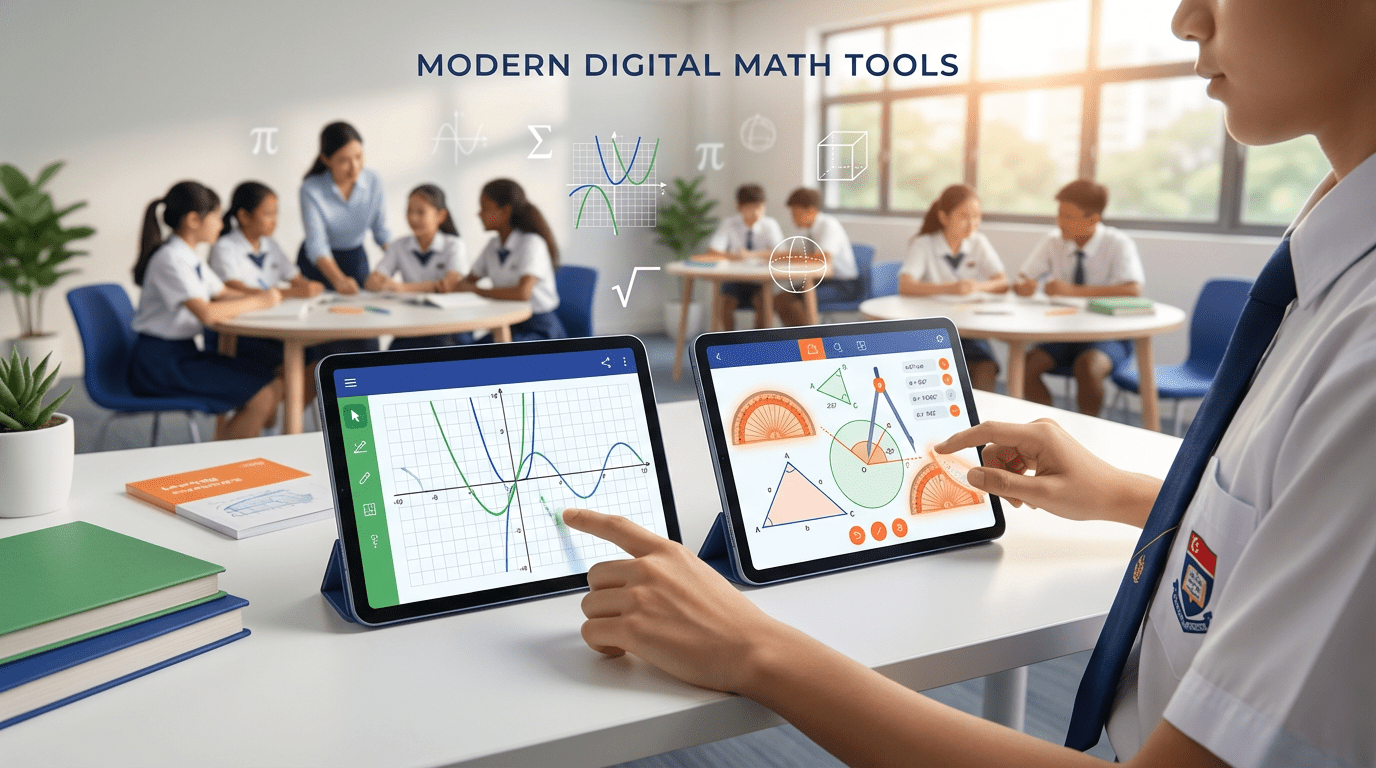
Table Of Contents
- Understanding Digital Math Tools for Secondary Education
- Desmos: The Intuitive Graphing Calculator
- GeoGebra: The Comprehensive Mathematics Suite
- Head-to-Head Feature Comparison
- Alignment with Singapore’s Secondary Math Curriculum
- Ease of Use and Learning Curve
- Practical Applications for Different Topics
- How These Tools Complement Structured Tuition Programs
- Making the Right Choice for Your Learning Needs
As Singapore’s secondary school mathematics curriculum becomes increasingly sophisticated, students face complex concepts in algebra, geometry, trigonometry, and calculus that often benefit from visual representation. While traditional pen-and-paper methods remain foundational, digital math tools have revolutionized how students explore mathematical relationships, test hypotheses, and develop deeper conceptual understanding. Two platforms dominate the educational landscape: Desmos and GeoGebra. Both are free, powerful, and widely recommended by educators, yet they offer distinctly different experiences that can significantly impact a student’s learning journey.
For parents and students navigating the demands of O-Level preparation and school assessments, choosing the right digital tool isn’t just about features. It’s about finding the platform that aligns with your learning style, complements your curriculum requirements, and integrates seamlessly with your existing study routine. At EduFirst Learning Centre, where we’ve guided thousands of secondary students across our 25 locations islandwide, we’ve observed firsthand how the strategic use of these tools can transform abstract mathematical concepts into tangible, memorable insights. This comprehensive comparison will help you understand which platform best serves your educational goals, whether you’re strengthening foundational skills in Secondary 1 or tackling advanced calculus in Secondary 4.
In this detailed analysis, we’ll explore the core strengths and limitations of both Desmos and GeoGebra, examine their alignment with Singapore’s MOE mathematics syllabus, and provide practical guidance on when to use each tool. By the end, you’ll have the clarity needed to make an informed decision that supports your academic success.
Understanding Digital Math Tools for Secondary Education
Digital mathematics tools have evolved from simple calculators to sophisticated platforms that enable dynamic exploration of mathematical concepts. Unlike static textbook diagrams, these interactive environments allow students to manipulate variables, observe real-time changes, and develop intuitive understanding of mathematical relationships. This active learning approach aligns perfectly with constructivist educational principles, where students build knowledge through experimentation and discovery rather than passive reception.
The significance of these tools extends beyond convenience. Research consistently demonstrates that visual and interactive learning experiences enhance retention and conceptual understanding, particularly for topics like functions, transformations, and spatial reasoning. For Singapore secondary students preparing for national examinations, these platforms offer valuable opportunities to verify solutions, explore “what-if” scenarios, and develop the mathematical reasoning skills that examiners reward. However, the effectiveness of any tool depends entirely on how it’s integrated into a comprehensive learning strategy that includes proper instruction, practice, and assessment.
Both Desmos and GeoGebra emerged from educational contexts, developed by mathematicians and educators who understood classroom needs. Desmos, founded in 2011, prioritized simplicity and accessibility, focusing primarily on graphing and algebra. GeoGebra, which has been evolving since 2001, took a more comprehensive approach, building an entire ecosystem of mathematical tools spanning geometry, algebra, calculus, statistics, and 3D graphing. These different philosophies have shaped each platform’s interface, capabilities, and ideal use cases for secondary students.
Desmos: The Intuitive Graphing Calculator
Desmos has earned widespread acclaim for its remarkably intuitive interface that requires virtually no learning curve. Students can begin graphing functions within seconds of opening the platform, simply typing equations in natural mathematical notation. The clean, uncluttered design removes cognitive barriers between mathematical thinking and visual representation, making it particularly valuable for students who find traditional graphing calculators intimidating or confusing. This accessibility has made Desmos the graphing calculator of choice in many progressive mathematics classrooms worldwide.
The platform’s core strength lies in its graphing engine, which handles functions, relations, inequalities, and parametric equations with exceptional elegance. Students can instantly visualize how changing a parameter affects a graph’s shape, create sliders for dynamic manipulation, and build interactive demonstrations that deepen understanding. The color-coding system automatically assigns different colors to each equation, making it easy to distinguish multiple functions on the same coordinate plane. For Singapore secondary students working through coordinate geometry, quadratic functions, and trigonometric graphs, these features provide invaluable visual feedback that clarifies abstract concepts.
Beyond basic graphing, Desmos offers several specialized calculators including a scientific calculator, matrix calculator, and geometry tool. The Activity Builder feature allows educators to create interactive lessons and assessments, though this functionality is more relevant to teachers than individual students. The platform works seamlessly across devices through web browsers, requiring no installation or updates, which eliminates common technical frustrations. This cross-platform accessibility means students can work on their home computers, school tablets, or even smartphones with consistent functionality.
Key Strengths of Desmos
- Exceptional ease of use: Students can start graphing within minutes without tutorials or training
- Superior graphing speed: Renders complex functions instantly without lag or processing delays
- Clean, distraction-free interface: Minimalist design keeps focus on mathematical exploration
- Excellent mobile responsiveness: Works effectively on smartphones and tablets, not just computers
- Built-in accessibility features: Screen reader support and keyboard navigation for inclusive learning
- No account required: Immediate access without registration barriers, though accounts enable saving work
Limitations to Consider
- Limited geometry capabilities: While the geometry tool exists, it’s less developed than dedicated geometry platforms
- No 3D graphing: Cannot visualize three-dimensional surfaces and solids (relevant for H2 Mathematics)
- Restricted symbolic computation: Doesn’t perform algebraic manipulation or symbolic calculus operations
- Fewer advanced features: Statistics, probability, and specialized mathematical tools are limited compared to comprehensive platforms
GeoGebra: The Comprehensive Mathematics Suite
GeoGebra represents a fundamentally different philosophy: rather than specializing in one mathematical domain, it provides a complete mathematical software ecosystem. The platform encompasses separate calculators for graphing, geometry, 3D graphing, spreadsheets, probability, and CAS (Computer Algebra System), all integrated within a unified environment. This comprehensive approach makes GeoGebra extraordinarily versatile, capable of handling virtually any mathematical visualization or computation a secondary student might encounter. From constructing geometric proofs to solving differential equations, GeoGebra provides professional-grade mathematical tools.
The geometry module is where GeoGebra truly distinguishes itself from competitors. Students can construct figures using classical compass-and-straightedge methods, define points and lines with precise relationships, and explore geometric properties through dynamic manipulation. When you move a point in a construction, all dependent objects adjust automatically while maintaining their mathematical relationships. This dynamic geometry capability makes abstract theorems concrete, allowing students to discover geometric principles through experimentation. For topics like circle theorems, congruence, similarity, and coordinate geometry, this hands-on exploration builds intuition that static diagrams cannot provide.
Beyond geometry, GeoGebra’s CAS (Computer Algebra System) performs symbolic mathematics, solving equations, simplifying expressions, computing derivatives and integrals, and manipulating matrices. The 3D graphing calculator extends visualization into three dimensions, essential for understanding surfaces, vectors, and spatial relationships. The statistics and probability tools support data analysis with regression models, distributions, and hypothesis testing. This breadth of functionality means students can use a single platform throughout their entire secondary mathematics journey, from Secondary 1 through to H2 Mathematics preparation for students continuing to Junior College.
Key Strengths of GeoGebra
- Comprehensive mathematical coverage: One platform handles algebra, geometry, calculus, statistics, and 3D visualization
- Superior geometry tools: Industry-leading dynamic geometry capabilities with construction protocols
- Computer Algebra System: Performs symbolic computation, algebraic manipulation, and exact calculations
- 3D visualization: Graph three-dimensional surfaces, vectors, and geometric solids
- Extensive resource library: Millions of pre-built activities, demonstrations, and lessons created by educators worldwide
- Offline capability: Desktop and mobile apps work without internet connectivity
- Professional-grade output: Export high-quality images and animations suitable for presentations and reports
Limitations to Consider
- Steeper learning curve: More features mean more complexity, requiring time investment to master
- Potentially overwhelming interface: Multiple menus, toolbars, and options can confuse new users
- Less polished user experience: Interface feels more utilitarian than elegant compared to Desmos
- Performance considerations: Can be slower on older devices, particularly with complex 3D graphics
- Inconsistent mobile experience: Desktop version offers more functionality than mobile apps
Head-to-Head Feature Comparison
When comparing these platforms directly across key features relevant to Singapore secondary students, distinct patterns emerge that clarify each tool’s optimal use cases. Understanding these differences helps students and parents make strategic decisions about which platform to prioritize for different mathematical topics and learning objectives.
Graphing and Functions
For standard 2D graphing of functions, both platforms perform exceptionally well, though with different strengths. Desmos excels in speed and simplicity, rendering graphs instantly as you type equations. Its slider functionality is particularly intuitive, allowing students to create parameters (like “y = mx + c” where m and c are sliders) and dynamically explore how coefficients affect graph characteristics. This immediate visual feedback is invaluable when studying linear functions, quadratic transformations, and trigonometric graphs. The platform automatically adjusts viewing windows intelligently, though manual adjustment is simple when needed.
GeoGebra offers comparable graphing capabilities with additional depth. While the interface requires slightly more navigation, it provides more sophisticated control over function properties, can handle implicit functions more robustly, and integrates graphing with algebraic computations through its CAS. The ability to define functions using conditional statements and piecewise definitions is more flexible in GeoGebra, which matters for advanced topics. For students focused primarily on graphing for O-Level mathematics, Desmos provides the more streamlined experience, while students tackling H2 Mathematics or competition mathematics benefit from GeoGebra’s additional power.
Geometry and Construction
This category reveals the most significant difference between platforms. GeoGebra is the clear winner for geometric exploration, offering comprehensive construction tools, measurement capabilities, and dynamic manipulation. Students can construct geometric figures using points, lines, circles, and transformations, then explore properties by dragging elements while relationships remain intact. The ability to create construction protocols (step-by-step instructions for geometric constructions) supports deeper understanding of geometric proofs and relationships. For topics like circle geometry, similarity, congruence, and transformation geometry, GeoGebra provides an interactive laboratory that brings theorems to life.
Desmos does offer a basic geometry tool that handles simple constructions, plotting points, drawing shapes, and measuring distances. For straightforward coordinate geometry problems and basic visualization, it’s adequate. However, it lacks the dynamic construction capabilities and geometric relationship tools that make GeoGebra powerful. Students working extensively with geometry, particularly those in specialized programs or preparing for mathematics competitions, will find GeoGebra’s geometry module indispensable, while those needing only occasional geometric visualization may find Desmos sufficient.
Algebra and Symbolic Computation
GeoGebra’s Computer Algebra System (CAS) provides capabilities that Desmos simply doesn’t offer. The CAS can solve equations symbolically, factor polynomials, expand expressions, compute derivatives and integrals exactly, and manipulate matrices. This symbolic manipulation complements numerical and graphical approaches, providing students with multiple representations of mathematical concepts. For students learning calculus or working through complex algebraic problems, the ability to verify solutions symbolically provides valuable confirmation and learning feedback.
Desmos focuses on numerical computation and graphical representation rather than symbolic manipulation. It can find numerical solutions, evaluate expressions, and create tables of values, but won’t show algebraic steps or manipulate expressions symbolically. For most O-Level mathematics, this limitation is minor since examinations require students to show manual working anyway. However, as a learning and verification tool, GeoGebra’s CAS offers additional depth that supports understanding of why algebraic procedures work, not just how to execute them.
Statistics and Data Analysis
Both platforms provide statistics capabilities, though with different emphases. GeoGebra includes a dedicated statistics calculator with comprehensive functionality: data analysis, regression models, probability distributions, hypothesis testing, and graphical representations including histograms, box plots, and scatter diagrams. The spreadsheet integration allows students to import and analyze real datasets, supporting project work and authentic statistical investigations.
Desmos handles statistical visualization effectively, particularly scatter plots with regression analysis. Students can plot data points, fit various regression models (linear, quadratic, exponential, logarithmic), and visualize residuals. For the statistical content in Singapore’s secondary mathematics curriculum, Desmos provides sufficient functionality with its characteristic ease of use. GeoGebra offers more comprehensive statistical tools for advanced work, while Desmos delivers streamlined functionality for core requirements.
Alignment with Singapore’s Secondary Math Curriculum
Singapore’s mathematics curriculum, as outlined by the Ministry of Education, emphasizes conceptual understanding alongside procedural fluency. The syllabus progressively builds mathematical sophistication from Secondary 1 through Secondary 4, covering algebra, geometry, trigonometry, statistics, and introductory calculus (for Additional Mathematics students). Both Desmos and GeoGebra align well with these curricular goals, though in complementary ways that reflect their different design philosophies.
For Secondary 1 and 2 students, who focus on foundational algebra, coordinate geometry, and basic statistics, Desmos provides an accessible entry point into mathematical visualization. Graphing linear functions, exploring transformations, and understanding algebraic relationships become tangible when students can immediately see the graphical representation of equations. The platform’s simplicity prevents technological complexity from overwhelming mathematical learning, which is particularly important when students are still building confidence with abstract mathematical thinking. At this stage, the goal is to develop conceptual understanding without cognitive overload, and Desmos’s intuitive interface supports this objective effectively.
As students progress to Secondary 3 and 4, encountering quadratic functions, trigonometry, coordinate geometry proofs, and (in Additional Mathematics) calculus, both platforms become valuable for different purposes. Desmos remains excellent for visualizing functions, exploring trigonometric transformations, and understanding the connection between algebraic and graphical representations. GeoGebra becomes increasingly relevant as geometric content deepens, particularly for circle theorems, geometric proofs, and transformation geometry. The dynamic construction capabilities help students develop geometric intuition that static textbook diagrams cannot provide.
For Additional Mathematics students, who study calculus, exponential and logarithmic functions, and more sophisticated algebraic topics, GeoGebra’s comprehensive toolset offers advantages. The CAS can verify differentiation and integration, the 3D graphing visualizes surfaces of revolution, and the algebraic manipulation supports understanding of complex derivations. However, Desmos remains valuable for its superior graphing speed and clarity, particularly when exploring function behavior and graphical analysis. Many advanced students benefit from using both platforms strategically, selecting the tool that best suits each specific learning objective.
At EduFirst Learning Centre’s secondary tuition programs, our experienced tutors guide students in strategic tool selection, ensuring that technology enhances rather than replaces fundamental mathematical thinking. We’ve found that students who learn when and why to use each platform develop stronger problem-solving flexibility than those who rely on a single tool for all purposes.
Ease of Use and Learning Curve
The practical reality of educational technology is that even the most powerful tool provides no benefit if students find it too frustrating or time-consuming to use effectively. The learning curve associated with each platform significantly impacts its practical value for secondary students who are simultaneously managing multiple subjects, co-curricular activities, and examination preparation. Time spent learning software is time not spent learning mathematics, so efficiency matters.
Desmos wins decisively on immediate usability. New users can open the graphing calculator and begin creating meaningful mathematical visualizations within minutes, without tutorials or instruction. The interface anticipates user intentions intelligently, automatically formatting mathematical notation, suggesting corrections for syntax errors, and providing helpful prompts. This frictionless experience means students can focus cognitive resources on mathematical understanding rather than technical operation. For time-pressed students balancing multiple commitments, this efficiency is genuinely valuable.
The platform’s keyboard input accepts natural mathematical notation, so typing “y = x^2 + 3x – 4” produces exactly the expected result without memorizing special syntax. The graphical feedback is immediate, making trial-and-error exploration natural and productive. Students can experiment freely, testing hypotheses and exploring “what-if” questions without technical barriers. This exploratory learning approach aligns perfectly with discovery-based pedagogies that develop deep conceptual understanding.
GeoGebra requires a more substantial time investment to master, though this investment pays dividends in expanded capabilities. The interface presents more options, menus, and tools simultaneously, which can overwhelm new users who aren’t sure where to begin. Construction tools require learning specific procedures: creating points before lines, understanding tool selection modes, and following geometric construction protocols. This added complexity is the inevitable trade-off for greater functionality. Students willing to invest several hours in systematic learning will unlock powerful capabilities, but those seeking immediate results may feel frustrated initially.
To mitigate this learning curve, GeoGebra provides extensive documentation, video tutorials, and a global community of educators sharing resources. Many teachers and tutors introduce GeoGebra systematically, teaching specific tools as they become relevant to curricular topics rather than attempting comprehensive training upfront. This just-in-time learning approach reduces initial overwhelm while building competence progressively. Students who learn GeoGebra systematically, with proper guidance, generally report that the initial investment was worthwhile for the expanded mathematical exploration it enables.
Practical Applications for Different Topics
Understanding which platform excels for specific mathematical topics helps students make strategic choices that maximize learning efficiency. Rather than viewing this as a competition with a single winner, consider how each tool’s strengths align with different curricular content and learning objectives.
Algebra and Functions
Primary recommendation: Desmos
For exploring linear functions, quadratic equations, exponential growth, and function transformations, Desmos provides the optimal balance of power and usability. Students can instantly visualize how changing coefficients affects graph characteristics, overlay multiple functions to compare properties, and use sliders to create dynamic demonstrations of transformation principles. When studying topics like finding roots, maximum and minimum points, or intersections between functions, Desmos makes these abstract concepts visually concrete. The platform’s ability to handle inequalities and shade regions is particularly valuable for linear programming and systems of inequalities.
Geometry and Construction
Primary recommendation: GeoGebra
For geometric exploration, construction, and proof development, GeoGebra’s dynamic geometry environment is unmatched. Students studying circle theorems can construct diagrams, then drag points to observe which properties remain invariant and which change, building intuitive understanding of geometric relationships. The construction tools support classical geometric procedures, helping students understand why constructions work, not just how to execute them. For transformation geometry (reflections, rotations, translations, enlargements), the ability to define transformations and observe their effects on figures develops spatial reasoning that static diagrams cannot provide.
Trigonometry
Primary recommendation: Desmos (with GeoGebra for specific applications)
Desmos excels at graphing trigonometric functions, exploring amplitude, period, and phase shift transformations, and understanding the unit circle relationship between angles and coordinates. Students can create animated demonstrations showing how trigonometric graphs build from circular motion, clarifying the connection between geometric and algebraic representations. However, for applications involving bearings, triangulation, or geometric trigonometry problems, GeoGebra’s measurement tools and construction capabilities provide valuable support for visualizing spatial relationships.
Calculus (Additional Mathematics)
Primary recommendation: Both platforms complementarily
Desmos provides superior visualization of rates of change, tangent lines, and area under curves, with intuitive graphical representations that clarify calculus concepts. Students can observe how secant lines approach tangent lines as intervals shrink, making the limit concept concrete. GeoGebra complements this with symbolic computation through its CAS, allowing students to verify derivatives and integrals, explore integration techniques, and solve differential equations. Using both tools strategically provides multiple representations (graphical, numerical, and symbolic) that support deep understanding.
Statistics and Data Analysis
Primary recommendation: Desmos for core topics, GeoGebra for advanced work
For curriculum requirements in secondary mathematics, including scatter plots, correlation, and regression analysis, Desmos provides streamlined functionality with excellent visual clarity. Students can quickly create scatter diagrams, fit regression models, and interpret correlation. For more advanced statistical work, project-based learning, or probability distributions, GeoGebra’s comprehensive statistics module offers greater depth with distribution functions, hypothesis testing tools, and more sophisticated analysis capabilities.
How These Tools Complement Structured Tuition Programs
Digital mathematics tools provide tremendous value, but they function most effectively as components within comprehensive learning systems rather than standalone solutions. At EduFirst Learning Centre, we’ve consistently observed that students achieve optimal outcomes when interactive technology complements, rather than replaces, expert instruction, structured practice, and personalized feedback. These platforms are powerful amplifiers of effective teaching, not substitutes for it.
In our small class environments of 4-8 students, tutors use Desmos and GeoGebra strategically to illustrate concepts, facilitate discovery learning, and provide visual confirmation of problem-solving approaches. When introducing quadratic functions, for example, a tutor might guide students through graphing exercises in Desmos, using sliders to explore how coefficients affect parabola characteristics before moving to algebraic problem-solving. This visual foundation makes subsequent algebraic manipulation more meaningful because students understand what the symbols represent geometrically.
The individualized attention possible in small class settings allows tutors to observe how each student interacts with digital tools, providing targeted guidance when students encounter difficulties or misconceptions. Technology reveals student thinking through the explorations they create and questions they ask, giving tutors valuable diagnostic information about conceptual understanding. This formative assessment guides instructional decisions, helping tutors address gaps and extend understanding appropriately for each student’s level.
Furthermore, structured tuition programs teach students the critical skill of strategic tool selection: recognizing which problems benefit from visualization, when to rely on analytical methods, and how to verify solutions through multiple approaches. This metacognitive skill development distinguishes students who use technology thoughtfully from those who become dependent on it without understanding. Our tutors explicitly model decision-making about when and why to use specific tools, gradually transferring this expertise to students who internalize these strategic thinking patterns.
For students interested in supplementing their school learning, our e-lessons platform integrates these digital tools within comprehensive online learning experiences, combining video instruction, interactive practice, and personalized support. This blended approach ensures that technology enhances learning systematically rather than creating fragmented, disconnected experiences.
Making the Right Choice for Your Learning Needs
After examining both platforms comprehensively, the optimal choice becomes clear: for most Singapore secondary students, the answer isn’t choosing one tool exclusively but understanding when each platform best serves your learning objectives. However, if you must prioritize one platform initially, several considerations can guide your decision.
Choose Desmos as your primary tool if you:
- Are in Secondary 1 or 2, building foundational understanding of functions and graphs
- Prefer intuitive, simple interfaces that minimize technical learning curves
- Focus primarily on algebra, functions, and standard graphing for O-Level preparation
- Want a tool that works seamlessly across all devices, including smartphones
- Value immediate usability and don’t want to invest time in learning complex software
- Need a reliable, fast graphing calculator for quick explorations and homework verification
Choose GeoGebra as your primary tool if you:
- Are studying Additional Mathematics or preparing for mathematics competitions
- Have substantial geometry content requiring dynamic construction and exploration
- Want comprehensive mathematical capabilities in a single platform for long-term use
- Are willing to invest time learning more complex software for expanded capabilities
- Need symbolic computation and CAS functionality for advanced algebra and calculus
- Work with three-dimensional geometry or require 3D graphing capabilities
Consider using both platforms if you:
- Are serious about mathematics and want optimal tools for different topics
- Have the time and motivation to learn both systems strategically
- Are in Secondary 3 or 4 with diverse mathematical content across geometry, algebra, and calculus
- Appreciate having multiple approaches to visualize and verify solutions
The investment in learning either or both platforms pays substantial dividends in mathematical understanding, problem-solving confidence, and examination performance. These tools transform abstract mathematical concepts into tangible, manipulable objects of investigation, supporting the conceptual understanding that distinguishes students who merely memorize procedures from those who genuinely understand mathematics. When used thoughtfully within a comprehensive learning strategy that includes quality instruction and deliberate practice, Desmos and GeoGebra become invaluable partners in your educational journey.
Both Desmos and GeoGebra represent exceptional achievements in educational technology, offering Singapore secondary students powerful, free tools for mathematical exploration that would have seemed impossible just decades ago. The choice between them need not be binary or permanent. As you progress through your secondary mathematics journey, your needs will evolve, and the optimal tool for one topic may differ from the best choice for another. The students who benefit most are those who approach these tools strategically, understanding their respective strengths and applying them purposefully to deepen mathematical understanding.
What matters most is not which platform you choose, but that you use these tools actively and thoughtfully rather than passively. Mathematical understanding develops through exploration, experimentation, and discovery, not through merely watching demonstrations or copying procedures. When you graph a function in Desmos and create sliders to explore parameter effects, or construct a geometric figure in GeoGebra and manipulate it to discover invariant properties, you engage in authentic mathematical thinking that builds lasting conceptual understanding.
At EduFirst Learning Centre, we’re committed to helping students develop comprehensive mathematical competence that combines conceptual understanding, procedural fluency, strategic thinking, and effective tool use. Our experienced tutors across 25 locations islandwide integrate digital tools thoughtfully within personalized learning experiences designed for your specific needs and goals. Whether you’re strengthening foundational skills or pursuing academic excellence in preparation for national examinations, we provide the expert guidance, structured support, and individualized attention that transforms mathematical potential into achievement.
Enhance Your Mathematics Learning with Expert Guidance
Discover how personalized secondary tuition at EduFirst Learning Centre can help you master mathematical concepts with the perfect blend of expert instruction and strategic technology use. With small class sizes of 4-8 students across 25 convenient locations islandwide, we provide the individualized attention your child needs to excel.